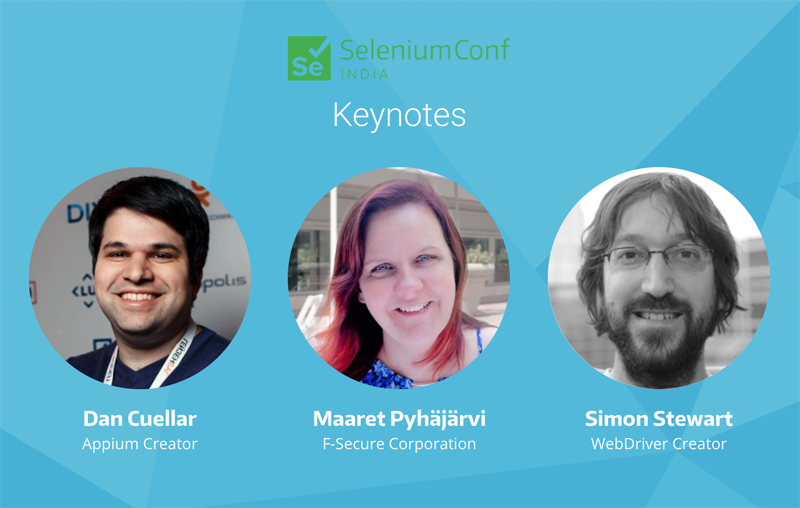
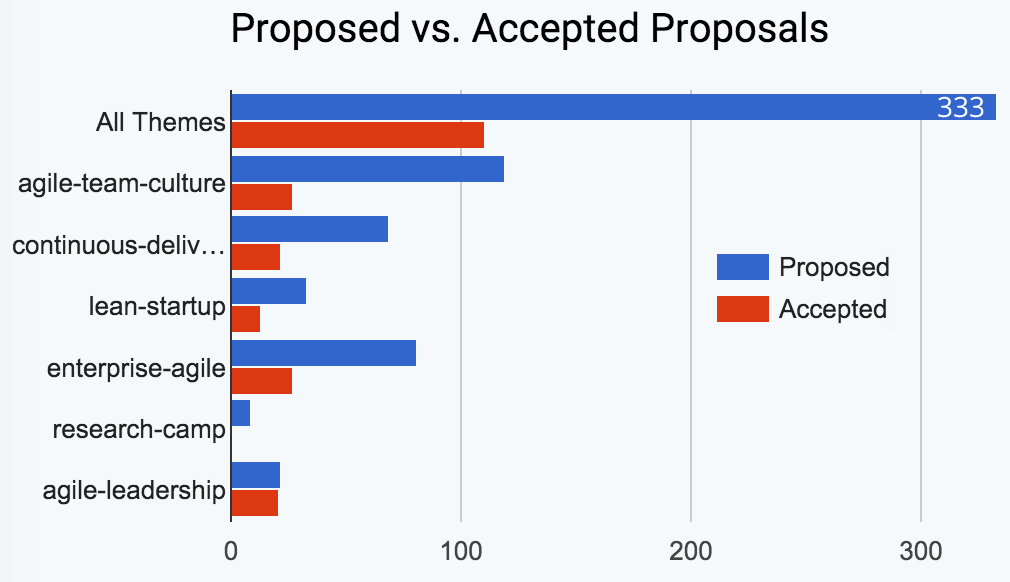
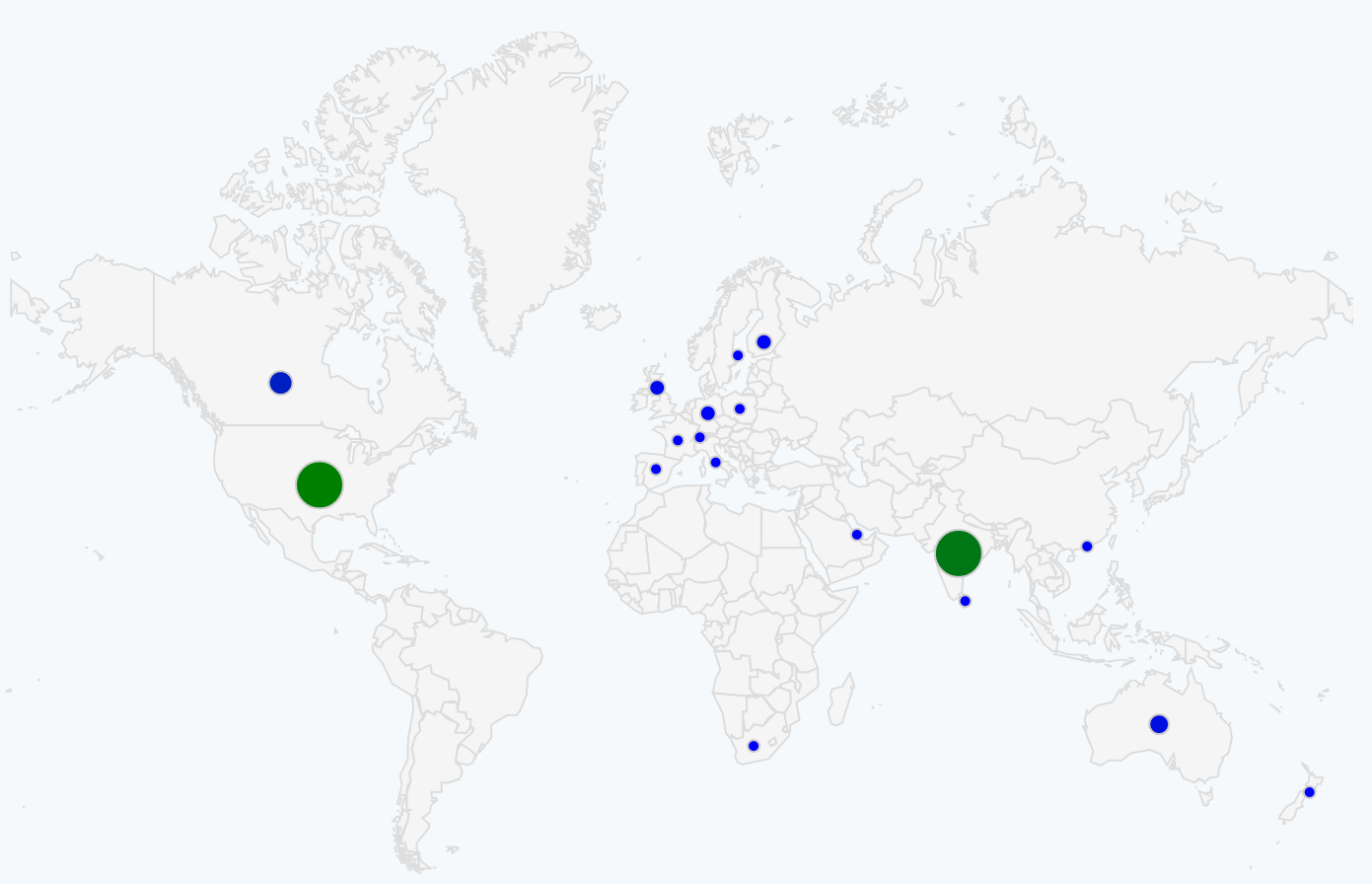
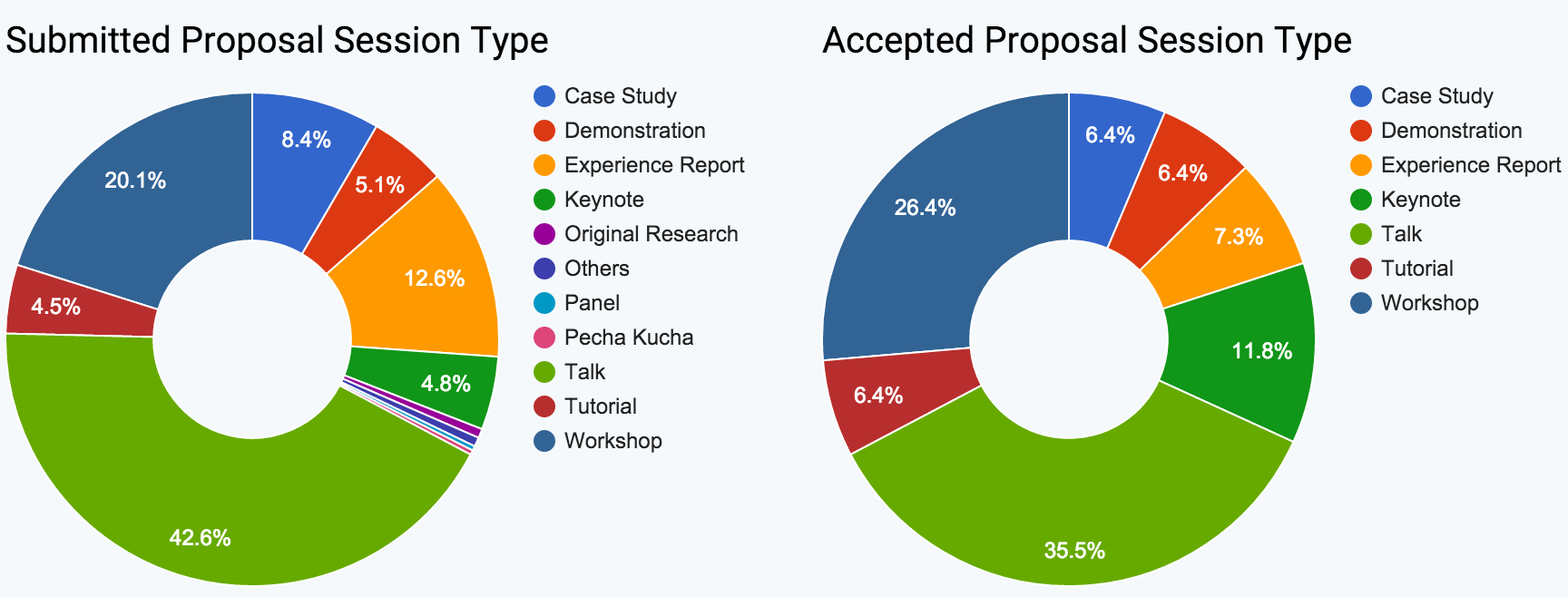
Program: We’ve received a total of 139 proposals via our open submissions system. Our program team is currently reviewing the proposals and we should have the first list of speakers next week.
Pre-Conf Workshop: We are happy to offer the following four Full-day deep-dive workshops on June 28th (pre-conf):
Fix a Bug, Become a Committer – Simon Stewart – Have you ever wondered how Selenium works under the covers? Only a handful of volunteers work to maintain this gigantic effort. Want to join?
The Selenium Conference is a non-profit, volunteer-run event presented by members of the Selenium Community.
The goal of the conference is to bring together Selenium developers & enthusiasts from around the world to share ideas, socialize, and work together on advancing the present and future success of the project.
Sponsors:
Selenium Conference is a great opportunity to meet and get to know hundreds of the world’s top Selenium talent. Whether you’re looking to connect with experienced developers, testers, and users of Selenium, hire automation engineers, promote your product, or just give back to the community, this is the place to be. We love helping our sponsors find innovative ways to interact with the community and achieve a great return on their investment in the conference.
Selenium Conference is organized by volunteer, passionate members of the Selenium community. We rely on corporate sponsorship to keep ticket prices low for attendees, as well as help cover the cost of the venue, food, beverages, t-shirts, and more.
I’m very excited to announce the 14th edition of Agile India Conference with brand new themes and a fabulous lineup of speakers. Agile India is Asia’s Largest & Premier International conference on Leading Edge Software Development Methods.
Meet:
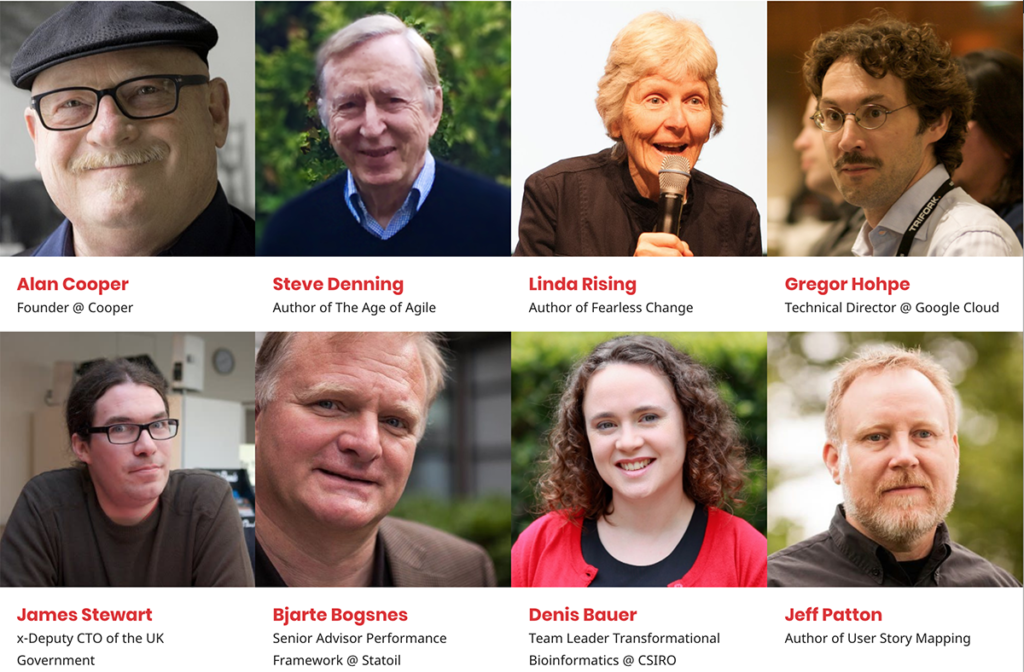
Alan Cooper – The Father of Visual Basic, Creator of Goal-directed Design methodology and inventor of the Persona concept
Steve Denning – Author of several books on Management, Leadership, Innovation and Organizational Storytelling
Linda Rising – Author of four books, most recently the Fearless Change
Gregor Hohpe – Author of Enterprise Integration Patterns. Technical Director at Google Cloud Computing
James Stewart – Co-founder of the Government Digital Service and x-Deputy CTO of the UK Government
Bjarte Bogsnes – Author of Implementing Beyond Budgeting, Chairman of Beyond Budgeting Roundtable and Senior Advisor Performance Framework at Statoil
Dr. Denis Bauer – Team Leader and Research Scientist in Cloud Computing in Transformational Bioinformatics at CSIRO
Jeff Patton – Author of User Story Mapping and the person responsible for bringing user-centered design thinking to Agile world
The program spreads across 8 days (March 4-11th 2018, Bengaluru) with two pre-conference plus two post-conference workshop days and four days of conferences in between:
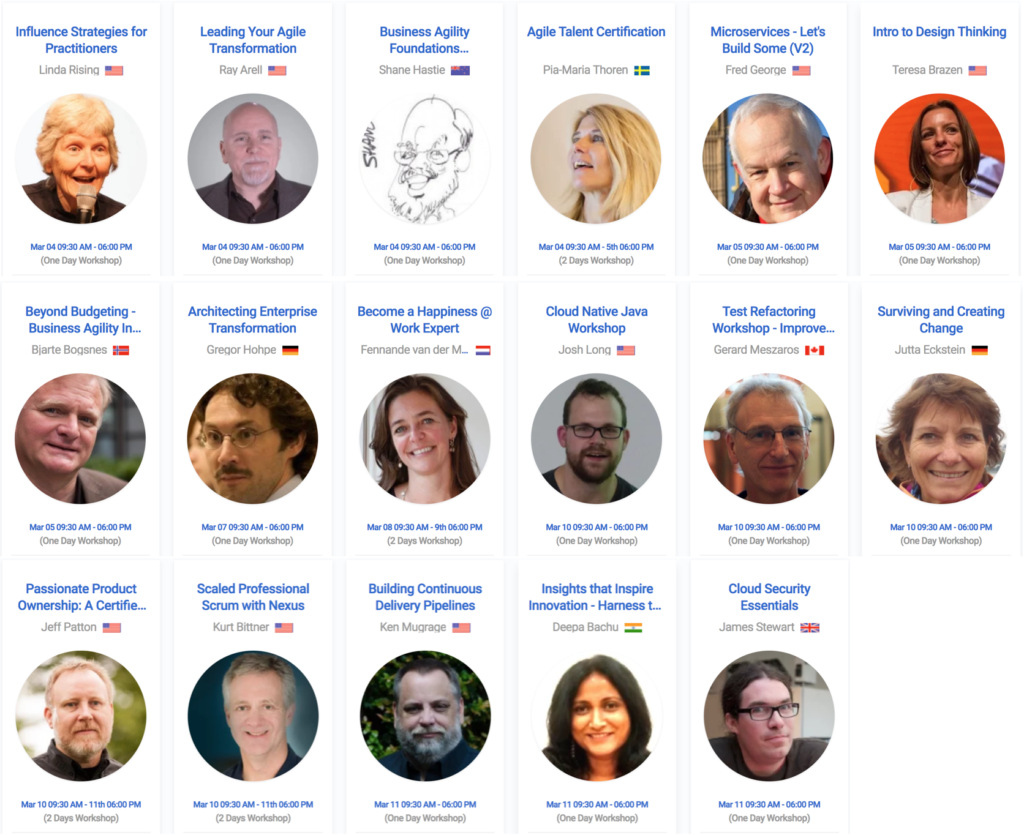
March 4-5th: Pre-Conference Workshops from our international experts
March 10-11th: Post-Conference Workshops from our international experts
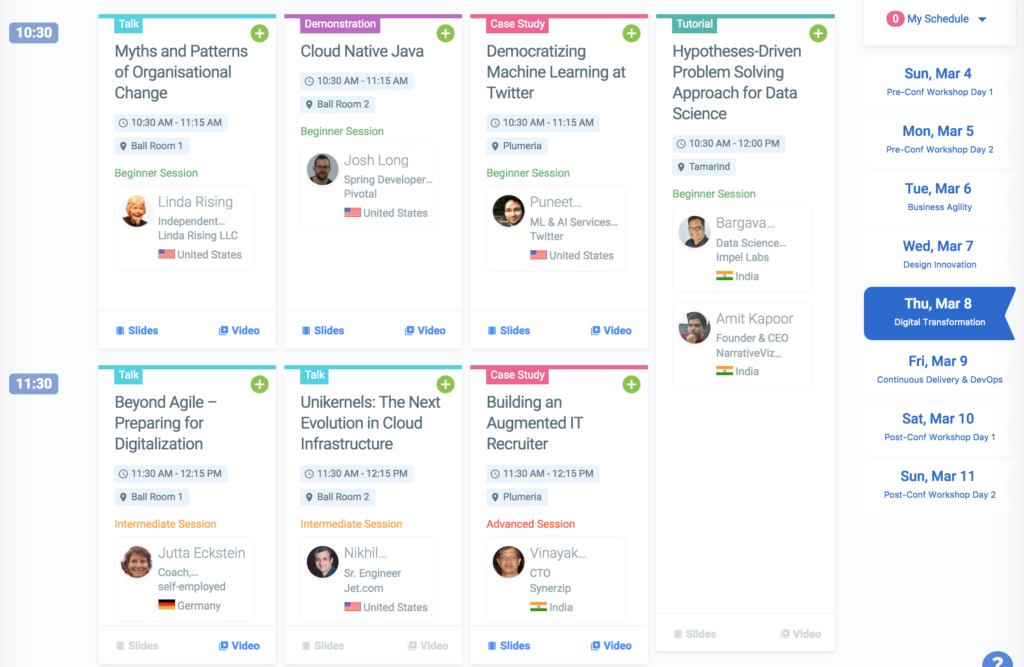
Schedule: Check out conference schedule for the lineup of workshops and speakers.
By now it should be obvious that the usual agile presentation on mindset, process, ceremonies, roles and responsibilities is not sufficient for organizational agility. Hence our shift in the focus this year.
Tickets: Conference registration is now open and Smart Price offers are going away soon. Register now for best deals!!
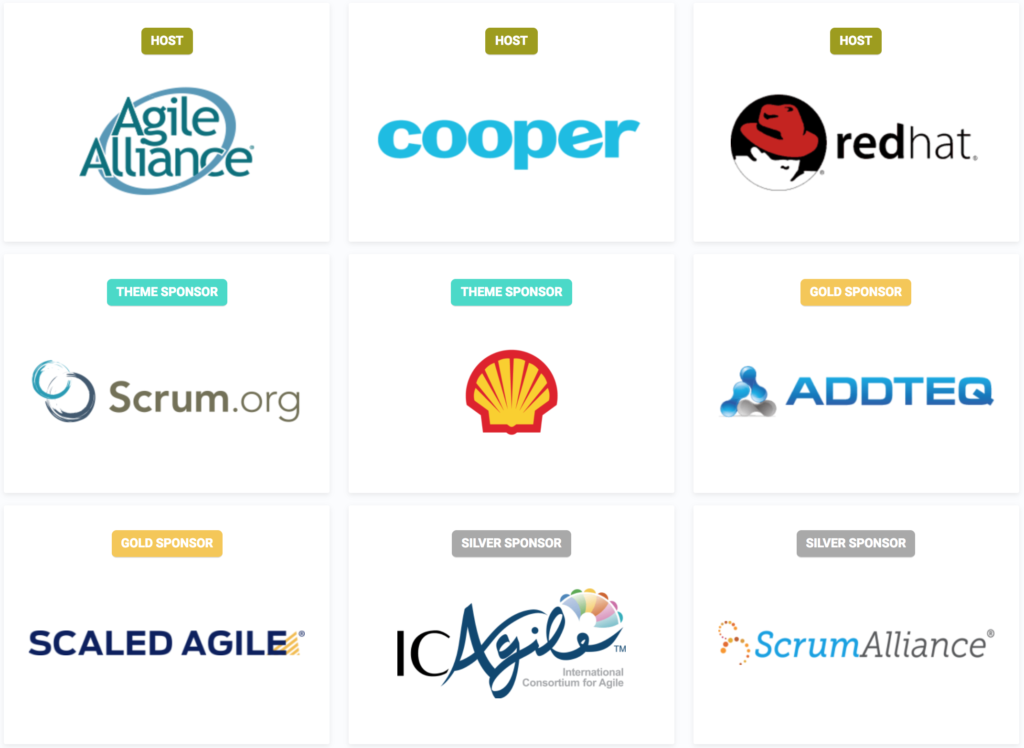
Sponsors: We thank Agile Alliance, Cooper, RedHat, Scrum.org, Shell, AddTeq/Atlassian, Scaled Agile, ICAgile and Scrum Alliance for sponsoring the conference. If your organization wants to support this non-profit, volunteer-run conference, please check out sponsorship options.
Look forward to meeting you at the conference.
P.S: Please help us spread the word and share these details with-in your respective organizations and social network.
Agile India 2017 is Asia’s Largest and Premier Conference on Agile, Lean, Scrum, eXtreme Programming, Lean-Startup, Kanban, Continuous Delivery, Lean UX, Product Discovery, DevOps, Enterprise Agile, Patterns and more…
Smart Pricing is still available as of 11 January. REGISTER TODAY before prices increase!
Isabel has more than thirty years of IT experience in the financial, communications, and software sectors. Her work focuses on quality management, software testing and user experience (UX), She encourages IT teams and customers to work together, via flexible processes designed and tailored by the teams that use them. Isabel authored Achieving Software Quality Through Teamwork and chapters in Agile Testing: How to Succeed in an eXtreme Testing Environment; The Testing Practitioner; and Foundations of Software Testing. A popular speaker and story-teller at software conferences worldwide, Isabel is a Chartered IT Professional and Fellow of the British Computer Society, Programme Secretary of the BCS SIGiST, and has been a member of software industry improvement working groups for over 20 years.
Joshua is a globally recognized thought leader in Agile and Lean software development. He is an entrepreneur, author and programmer passionate about excellent software and discovering better, faster and safer ways to produce it. As the founder and visionary leader of Industrial Logic, Joshua is currently defining what it means to practice modern agility. Modern agile practitioners work to Make People Awesome, Make Safety A Prerequisite, Experiment & Learn Rapidly and Deliver Value Continuously. Joshua is a sought-after international speaker, author of the best-selling, Jolt Cola-award winning book, Refactoring to Patterns, and a guru-level practitioner of Lean/Agile methods. His pioneering work in Agile processes has helped popularize Agile Readiness Assessments, Chartering, Storytest-Driven Development and Iterative Usability, many of which are now standard in Agile/Lean processes. He is an active blogger on forward-thinking, modern software topics with an edge.
Dave Thomas, Chief Scientist/CSO, Kx Systems, Co-Founder and past Chairman of Bedarra Research Labs (BRL), creators of the Ivy visual analytics workbench and ACM Distinguished Engineer. Founder and past CEO of Object Technology International (OTI), becoming CEO of IBM OTI Labs after its sale to IBM. With a unique ability to see the future and translate research into competitive products, he is known for his contributions to Object Technology including IBM VisualAge and Eclipse IDEs, Smalltalk and Java virtual machines. Dave is a popular, humorous, albeit opinionated keynote speaker with an impressive breadth of business experience and technical depth. He is a thought leader in large-scale software engineering and a founding director of the Agile Alliance. With close links the R&D community Dave is an adjunct research professor at Carleton University in Canada and held past positions at UQ and QUT in Australia. He has been a business and technical advisor to many technology
companies including Kx Systems. Dave is founder and chairman of the YOW! Australia and Lambda Jam conferences, and is a GOTO Conference Fellow.
Rajesh spent more than 15 years in the Silicon Valley, working for companies like Digital Equipment Corporation, HP, Google and Motorola. He joins Hike from Motorola where he was most recently the Director and Head of Wearables and Internet-of-Things software. Rajesh’s expertise lies in creating scalable, consumer-facing software products in the mobile space, overseeing end-to-end engineering & product development life cycle, and building cross-functional teams. Offering in-depth business and technical acumen, complemented by strong expertise in shaping product strategies into tangible products, strengthening stakeholder alliances, integrating Agile best practices, and streamlining processes that increase revenue, lower costs, and create business value.
Nate is the Managing Director at the San Francisco office. In his role, he blends the decisiveness and collaborative skills of a product manager with the acumen of an economist to build bridges with people and organizations. Equal parts teacher and student, Nate leads initiatives in content creation, business development, and creative leadership.
At Cooper, he helped United Airlines find new ways to reward loyal customers, led an effort at GE Healthcare to create a strategy for the international expansion of a key product line, and designed solutions for workplace collaboration, delivering technology to schools, and the future of the connected kitchen. Before Cooper, Nate led design and product management at BuildZoom, and was a Director of Product Management at Thomson Reuters.
Mitchell Hashimoto is best known as the creator of Vagrant, Packer, Terraform and Consul. Mitchell is the founder of HashiCorp, a company that builds powerful and elegant DevOps tools. He is also an O’Reilly author. He is one of the top GitHub users by followers, activity, and contributions. “Automation obsessed,” Mitchell solves problems with as much computer automation as possible.
Jez Humble is co-author of the Jolt Award winning Continuous Delivery, published in Martin Fowler’s Signature Series (Addison Wesley, 2010), and Lean Enterprise, in Eric Ries’ Lean series (O’Reilly, 2015). He has consulted for many Global 500 companies to help them achieve technical excellence and deploy a culture of experimentation and learning. His focus is on helping organizations discover and deliver valuable, high-quality products. He is co-founder of consulting company Humble, O’Reilly & Associates, and teaches at UC Berkeley.
PRE/POST CONFERENCE WORKSHOPS
Workshops have very limited seats. BOOK EARLY to ensure you don’t miss these great opportunities!
Much has changed since the publishing of the Agile Manifesto in 2001. Pioneers and practitioners of lean and agile methods have examined weaknesses and friction points, experimented with simpler approaches, and produced agile processes that are safer, simpler and far more capital efficient. The result is modern agile. It’s values-driven, non-prescriptive and an easier starting point than antiquated agile processes. Modern agile amplifies the values and practices of organizations that have discovered better ways to get awesome results. Are you still cramming low-quality work in the end of each sprint, struggling with growing technical debt, arguing about “definition of done” or frustrated that “management/product never gives us time to do it right?”
In today’s business environment, the user experience and the commercial imperatives have become overwhelmingly important. As testers, it is vital that we understand quality in use and the user experience, in order that we focus our tests correctly.
“Quality in Use” measures human, business, and societal impacts of products (usability, accessibility, flexibility, commercial, safety). This builds to a User Experience (UX) and are underpinned by technical and engineering qualities. For the people selling, supporting, or using the products, this is the beating heart of the customer experience. Without these “big picture” attributes, delivered software will not be acceptable, may result in reduced profits, and may not be legal. In the tutorial, Isabel will use examples from real projects to discuss how to design tests derived from the user personas, contexts of use, and acceptance criteria.
Leaders today face constant, accelerating change driven by technology and incredibly high expectations from both internal and external. As IT leaders, we need to transform our roles and our departments. In this workshop, we focus on, teach and practice the tools of transformational leadership. After each part of the training, participants are ready to use the tools to re-define their roles and deliver what their organizations need – brilliant leadership.
Disciplined Agile (DA) is an IT process decision framework for delivering sophisticated agile solutions in the enterprise. It builds on the existing proven practices from agile methods such as Scrum, Extreme Programming (XP), Lean software development, Unified Process, and Agile Modeling to include other aspects necessary for success in the enterprise. The one-day workshop is not technical and is suitable for all team members. The workshop is also valuable for management tasked with moving from traditional approaches to agile.
Crack your head open and release a surge of creative ideas with engaging activities that promote clarity, inspiration, and buzz within your organization. We’ll cover methods and facilitation tools to ensure you run fruitful brainstorming sessions, leading your team to more and better ideas. You’ll learn to frame the problem you’re solving, come up with an exploration strategy, and facilitate the session, giving you and your team new ways to get inspired and energized when looking for solutions.
Testing of mobile apps is easy to do poorly, however, we don’t need to be constrained by mediocrity. Instead let’s learn about the foundations of how mobile platforms and development technologies are used to create apps and how these are then interpreted by the devices the apps are installed on so that we know the sorts of bugs and problems that affect many mobile apps i.e. testing techniques that may be generally applicable to most apps.
Code that is difficult to understand, hard to modify and challenging to extend is hazardous to developers, users and organizations. Refactoring, or improving the design of existing code, is one of our greatest defenses against such code. Yet many programmers lack formal training in refactoring. Furthermore, management tends to lack knowledge about the value of refactoring. This one-day workshop is designed to address these needs.
Let’s explore the purpose and use of estimates in the management of software development efforts, and consider possible alternatives. Why do we estimate and are we making estimates that are actually useful? In this session we’ll participate in some interactive information gathering exercises to see if we can gain a shared idea of our current understanding of the purpose and use of estimates. We will examine the nature of software development projects and explore some real data to shed light on the art and science of software estimation. Our exploration goal is to see if we can work together to come up with some ideas about improving on the traditional approaches to using estimates.
Getting software released to users is often a painful, risky, and time-consuming process. The practice of continuous delivery sets out the principles and technical practices that enable rapid, low-risk delivery of high quality, valuable new functionality to users. In this workshop, Jez Humble presents an in-depth guide to the principles and practices behind continuous delivery and the DevOps movement, along with case studies from real companies and ideas to help you adopt continuous delivery and DevOps within your organization.
Once upon a time, we had ‘Discovery’, ‘Define’, and ‘Design’. These phases let us explore the problem and the audience, while conceiving a holistic solution. Now we have sprints, complete with a backlog that seems like it appears overnight and a development team that is going to build with or without design to guide it. How do we continue to create great products? This 1-day workshop enables you to engage your clients and stakeholders to quickly define the key elements of your product or project, aligns the team, and identifies critical risks. When it is complete, everyone has a good idea of what is going to be built as well as what it will take to get there.
Today companies are expected to be flexible and both rapidly responsive and resilient to change, which basically asks them to be Agile. Yet, doing Agile (the mechanics) is different from being Agile (the mindset). The mindset lets you apply flexible Agile patterns not only for software development teams but for whole company. In this workshop, we will examine what being Agile really means and how it can be implemented by combining principles from the Agile Manifesto, Sociocracy, Beyond Budgeting, and Open Space. We’ll draw on everyone’s experiences to show the path to transforming our companies into agile enterprises – from Board to janitor, offering concrete tools and methods that participants can apply right away.
In the early 2000s, eXtreme Programming (XP) introduced agility to software engineers. Contemporary cultural and technical innovations – container technology, distributed version control systems, the proliferation of free and open source software, and the DevOps movement – have significantly expanded our possibilities.
In this one day, hands-on workshop, we’ll build a modern continuous deployment pipeline based on Git, Jenkins, and Docker.
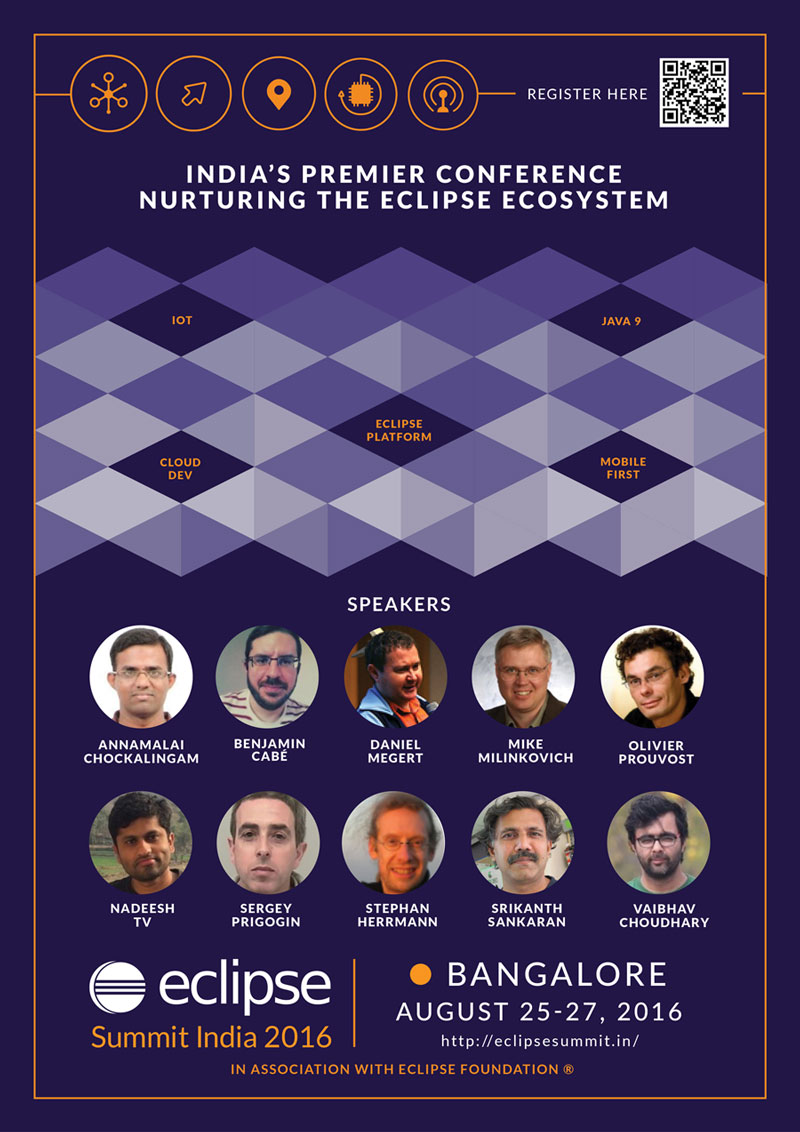
Year 2016 is special for Eclipse users and community in India – we have the first ever conference focused on Eclipse Technologies, Eclipse Summit India, scheduled for Aug 25th to 27th in Bangalore at the Hotel Chancery Pavilion. Eclipse Summit India is being organized in collaboration with the Eclipse Foundation and will feature some of the best speakers from the past EclipseCon conferences around the world.
In 2010, we organized the first “Eclipse Day” – a day for the Eclipse community in Bangalore to get together and share expertise. We still remember that day at a small but cozy hotel on Infantry Road in Bangalore, when we kicked off the very first “Eclipse Day” in India. We followed the tradition in 2011, when SAP came forward to organize it in their campus. There were two more Eclipse Day editions in Bangalore in subsequent years – one organized at IBM and the other one at BOSCH. Each year we raised the bar in terms of content as well as participation. Thus the idea of Eclipse Summit was born!
The conference is spread across 3 days – Thursday, Friday and Saturday. Day-1, Thursday, is dedicated for pre-conference paid workshops. We have lined up 4 workshops by technical leaders in Eclipse space in some of the key Eclipse technologies – Eclipse IoT, Eclipse e4 Platform, Eclipse JDT and Eclipse Modeling Framework. The next two days are dedicated for conference tracks – we have two tracks each on Friday and Saturday. On each of the days, we kick off the proceedings with keynotes by thought leaders in the Industry.
On Friday, we are privileged to have Mike Milinkovich, Executive Director of Eclipse Foundation deliver the Keynote. On Saturday, we have two keynotes – Sumit Rao, VP of Engineering at Cerner Corporation, as the first keynote speaker and Viral Shah, co-creator of the Julia Language as the second keynote speaker. You can find the complete program here: https://confengine.com/eclipse-summit-2016/schedule/rich
Friday Aug 26th, we have two tracks – one focusing on Language Runtime (Java, Node.js, Mobile) and the other on Eclipse IoT Technology. We are fortunate to have leaders from each of these areas – Srikanth Sankaran, whose talks at past EclipseCon were rated amongst the best, will take us through the evolution of Java beyond Java-9, while Benjamin Cabé, Eclipse IoT expert at Eclipse Foundation will unveil the power of Eclipse IoT technologies. These talks are followed by a variety of talks and demonstrations that will expose you to the latest developments and trends in these areas.
On Saturday, the event continues with the focus on language technologies in one of the tracks, while Eclipse Platform focus on the other track. In the language track, Stephan Hermann, Java language guru, will take you through the dynamism in Java language while in the platform track, we have Prouvost, an expert on Eclipse e4 Platform unraveling the mystery of e4. Don’t know what e4 is? Well, now you have a reason to not miss this!
Eclipse Summit India is a conference organized by the Eclipse community for the community. Organizers have done their bit in lining up some of the eminent speakers, who are experts in their own domains. Now it is your, Eclipse community’s – turn, to contribute to it by actively participating to make it a success. Eagerly looking forward to meet you all at the conference!
Agile India 2014 Conference was happy to host 1236 Attendees from 28 different countries. The attendees belong to 226 different companies and play 342 different roles. More details…
However in Agile India 2015 Conference we hosted 817 Attendees from 26 different countries. The attendees belong to 165 different companies and play 270 different roles. More details…
Also there was a proportionate drop in the number of sponsors. 14 sponsors in 2014 as opposed to 11 in 2015. So many people ask us why the numbers dipped? That’s a fair question. Following are the reasons why we think the numbers dipped:
We moved from Four 1-day mini-conferences to Two 2-day mini-conferences. (So naturally the count will dip. In 2016, we are back to Five 1-day mini-conferences.)
In 2015, we shrunk the program team size to 9 members from 29 members in 2014. Reason: we wanted to experiment and see what happens if we don’t decide the team upfront, but add members to the team only based on their contributions (esp. via the Submission System.) I guess that did not work out all that well. In 2016, we are back to a 26 member team that is decided upfront.
Overall the planning for the 2015 conference was delayed. Only in Sep 2014 we started actively working on the conference. As opposed to starting in July 2013 for the 2014 conference. (For 2016, we started work in June 2015 itself.)
Part of the reason for the delay was because, we were busy planning the Agile Pune 2014 Conference. Now planning 2 fairly large, international conferences on the same topic, 4 months apart, can lead to them competing with each other. Each year we do organise a bunch of smaller, regional conferences. However with the Pune conference we got bit ambitious. A good lesson learned.
This does not mean we will stop experimenting. We’ve been successfully running this conference for 11 years and every year we try something new, something different. That’s what keeps the excitement & enthusiasm for us (a group of volunteers, with regular day-time jobs.)
IMHO we should not be afraid to throw parts of your system out every 6-8 months and rebuild it. Speed and Simplicity trumps everything! Also in 6-8 months, new technology, your improved experience, better clarity, etc. will help you design a better solution than what you can design today.
Just to be clear, I’m not suggesting that we do a sloppy job and rewrite the system because of sloppiness. I’m recommending, let’s solve today’s problem in the simplest, cleanest and most effective/efficient way. Let’s not pretend to know the future and build things based on that, because none of us know what the future looks like. Best we can do is guess the future, and we humans are not very good at it.